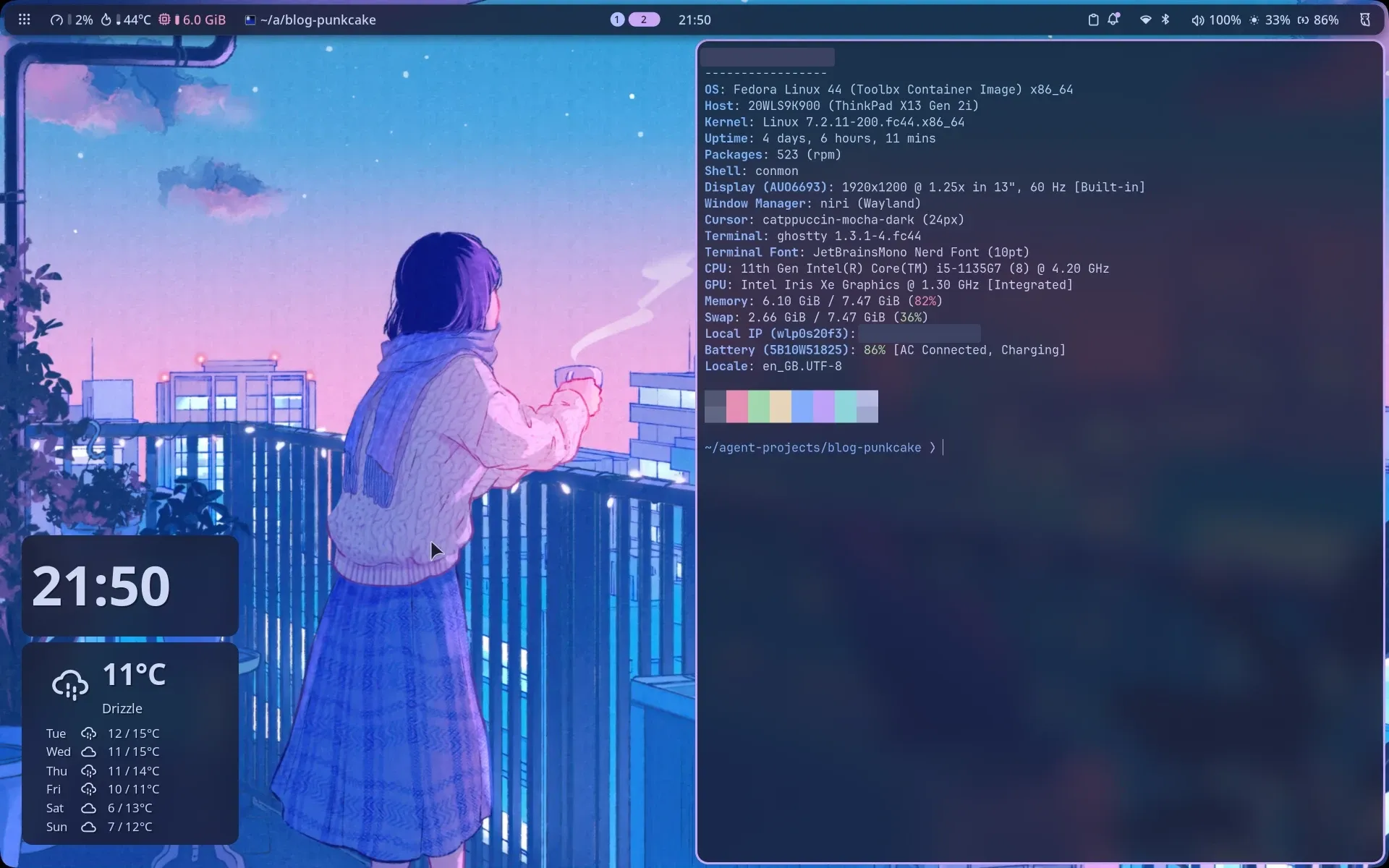
My laptop runs Fedora Silverblue with niri as the compositor and Noctalia v5 as the shell. I built the setup by hand, editing config files until it looked and behaved exactly the way I wanted. It worked, but it only existed on one machine. If that laptop died, or I got a new one, I’d be rebuilding it from memory.
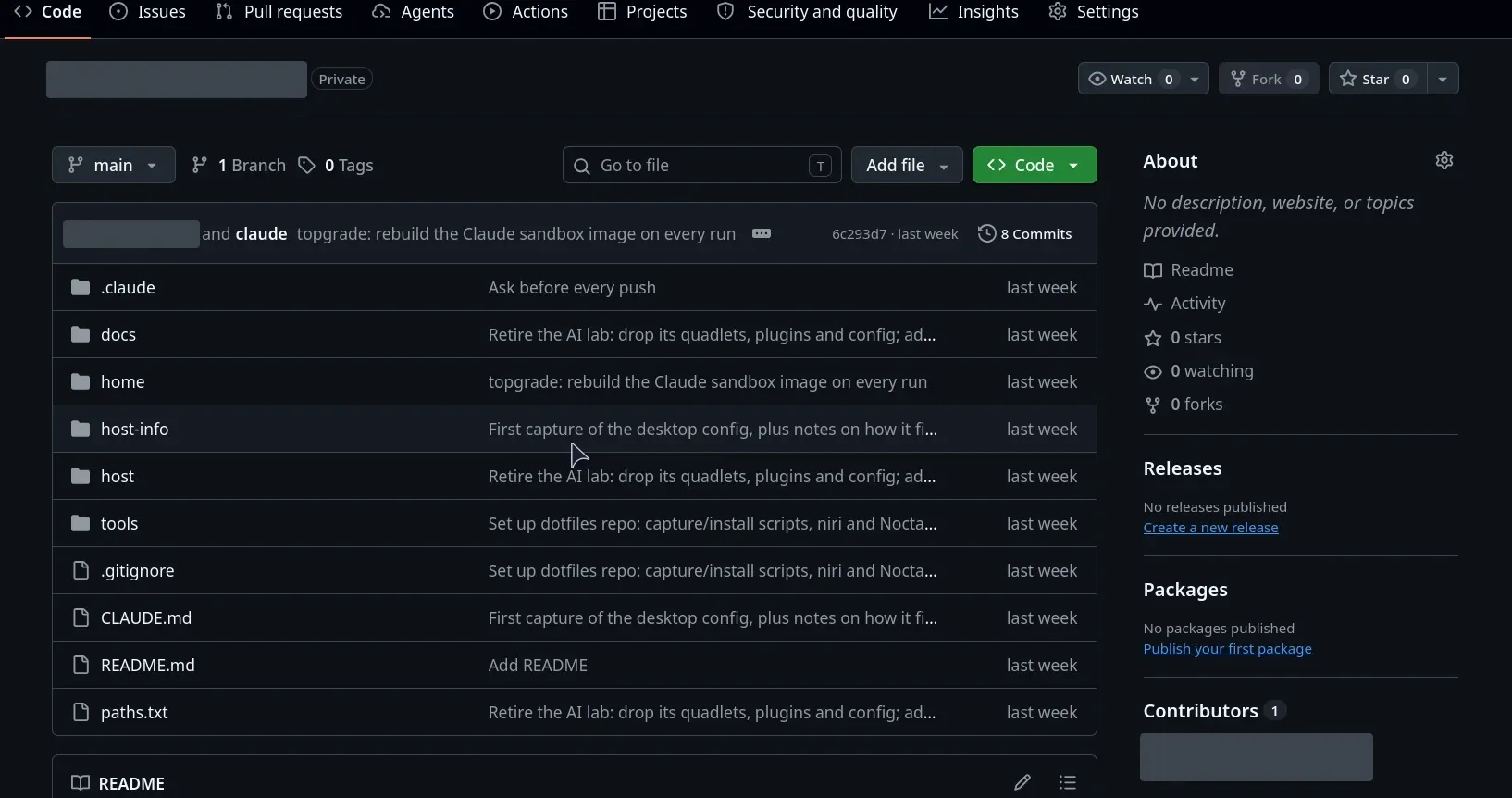
Setting up a new machine always takes longer than it should: the repos, the libraries, the tools, and then hours of small tweaks until it feels like mine again. Linux is far better at this than Windows, but it’s still mostly manual. So I put my desktop in a private git repo, where any new machine can clone it, run one installer and look and feel like my laptop. Doing it also made me think about the bigger version of the same idea: NixOS.
Why Niri and Noctalia
Niri was new to me. It’s a scrollable-tiling Wayland compositor: windows sit in columns on an endless horizontal strip instead of being squeezed into the screen. I liked the concept, and its config is flexible and easy to change (one KDL file, live-reloaded on save).
Being new to it, I wanted a solid base for the bar, launcher, notifications and lock screen rather than assembling them one by one. I tried the two mature options, DankMaterialShell and Noctalia, and chose Noctalia mainly because it was lighter on resources. Version 5 is a ground-up rewrite as a native C++ shell rendering with OpenGL ES, with no Qt and no JavaScript engine, while DankMaterialShell runs on Quickshell (QML and JavaScript on Qt).
The numbers I found backed that up. Coverage of the v5 stable release reported roughly six times less memory per monitor than Noctalia v4, which was built on Quickshell, the same toolkit DankMaterialShell uses. I tried both, and on a laptop with 8 GB of RAM the difference in resource use was visible, which settled it.
What “reusable” needs to cover
The look and feel of my desktop is spread across more places than I expected:
| Area | What’s tracked |
|---|---|
| Desktop | niri config and includes, Noctalia config, Noctalia’s GUI settings, my custom colour palette |
| Terminal | fish, ghostty, alacritty, fastfetch, yazi, helix, topgrade |
| Look and defaults | GTK 3/4 and Qt colours, default apps, XDG folders |
| The machine itself | niri, Noctalia and fish versions, layered rpm-ostree packages, installed Flatpaks |
The last row isn’t config, it’s an inventory. Silverblue is an image-based system: apps come as Flatpaks and the few system packages I need are layered on top. Every capture records both lists, so the repo also holds the shopping list for the next machine.
Two discoveries mattered here:
- Noctalia keeps GUI settings out of
~/.config. Hand-written config lives in~/.config/noctalia/, but anything changed in the Settings window goes to~/.local/state/noctalia/settings.toml, which loads last and wins. Almost all of my setup was in that second file. A repo that only took~/.configwould have restored a stock-looking bar. - Some files are generated. Noctalia’s theme templates write matching colours into GTK, Qt, ghostty, helix, yazi, Zen and niri. I track them so a fresh machine has the right colours on first login, before Noctalia has run once.
Copies, not symlinks
Most dotfiles setups use symlinks (GNU Stow, a bare git repo) so the live config is the repo. I deliberately didn’t, for two reasons. I wanted one more layer of control between my live config and git, in both directions. And I want to try Claude Code on these dotfiles in future. It runs in a rootless Podman sandbox that only sees its project folder (I wrote about that in From a self-hosted AI lab to one sandboxed Claude Code), and one of its rules is that nothing in a project folder is ever live-linked into my host config. A fish config or a niri spawn line is code, and the sandbox can write to the project.
So the repo holds copies, and two small Bash scripts move them:
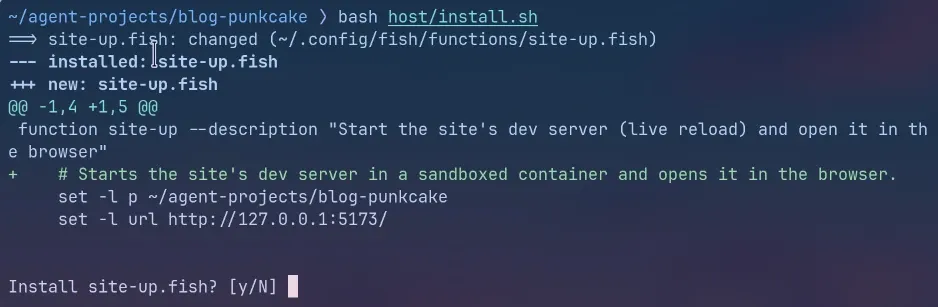
capture.shcopies everything listed in a plainpaths.txtinto the repo and refreshes the inventory.install.shgoes the other way. It validates the configs first, then shows a diff for each changed file, asks y/N and backs up whatever it replaces.
niri validate -c "$src/.config/niri/config.kdl" || exit 1
noctalia config validate "$src/.config/noctalia" || exit 1
paths.txt also keeps things out: fish’s universal variables (they can hold tokens), helix’s 1.7 GB of downloaded grammars (only its config files are tracked), and files that other projects install.
On a new machine, reuse is a short checklist: layer the packages from the inventory, install the Flatpaks, clone the repo and run the installer. niri and Noctalia hot-reload, so the desktop changes the moment I say yes.
Cleaning up before it becomes the template
If this repo is the template for future machines, it shouldn’t carry dead weight. The first capture showed six Podman Quadlet units, a fish function and two Noctalia plugins from my old AI lab (retired in the earlier post), plus nine bar-widget entries for those plugins still sitting in Noctalia’s settings. All of it went.
One cleanup needed more care. My niri config still had a blur rule from my days testing DankMaterialShell, and some of my blur styling had been carried over from it. I like where the styling ended up, so I wasn’t removing it on a hunch:
layer-rule {
    match namespace="^dms:desktop-widget.*"
    match namespace="^dms:bar.*"
    background-effect { blur true }
}
Noctalia’s source names its surfaces noctalia-bar-<name>, noctalia-dock and so on, and Noctalia requests blur for its own surfaces directly from the compositor. The rule could never match anything. It went, and nothing on screen changed.
Gotchas
- SELinux labels. My first capture used
cp -a, which also copies the SELinux label. The copies kept the home-folder label and the sandbox couldn’t read them. Both scripts now usecp -R --no-dereference --preserve=mode,timestamps, so each copy takes the label of wherever it lands. - The installer never deletes. That’s deliberate, but it means removing something from the host (like the AI lab) needs its own reviewed script.
- Files owned by other projects. The sandbox launcher and my blog’s dev-server function live in
~/.config/fish/functions/but have their own installers, so they’re excluded here to avoid two installers fighting over one file.
Results
| Before | After | |
|---|---|---|
| Where the setup lives | One laptop | One laptop and a private GitHub repo |
| New machine | Rebuild from memory | Package list, Flatpak list, one installer |
| History | None | Every change is a commit |
| Applying a change | Edit the live file | Diff, y/N per file, automatic backup |
| Broken niri or Noctalia config | Found after saving | Refused before install |
The tracked setup is 52 files, and the capture and install scripts are under 200 lines of Bash together.
What’s next: the whole system as code
This repo covers the look and feel, but a new machine still starts with a checklist: install the OS, layer the packages, install the Flatpaks, then run my installer. The inventory tells me what to install; it doesn’t install it.
That gap is what NixOS closes. On NixOS the whole system is declared in configuration files: packages, services, users and, with Home Manager, dotfiles too. Keep those files in git and a new machine is one rebuild away from being identical to the old one, with every change as reversible as a commit. Silverblue already gave me part of that (an image-based system with rollbacks), and this repo gave me the config half. NixOS would put both in one place.
It also fits the tools I already use. Noctalia is packaged in nixpkgs and ships its own NixOS guide and flake modules, and its split between hand-written config and GUI settings is designed to work with a read-only config folder like the one NixOS generates. The cost is learning the Nix language and a very different way of managing a system. I haven’t made the switch yet, but this project convinced me it’s the next step.
What I gave up
Copies don’t sync themselves. If I change something in Noctalia’s Settings window, the repo doesn’t know until I run the capture. For a single laptop I’m happy with that trade: nothing reaches my desktop that I haven’t seen first.
Skills used
Linux, Fedora Silverblue, niri (KDL configuration, window and layer rules), Noctalia v5 (TOML configuration, theme templates), fish, Bash scripting and ShellCheck, Podman, SELinux troubleshooting, git and GitHub, configuration management, reproducible system setup, secrets hygiene, sandboxing AI coding tools, technical documentation.