I wanted my own music server: my library, my rules, playable at home and on my phone anywhere, without a single port open on my router. It runs on a small Lenovo ThinkStation P330 Tiny that sits under the desk.
Part of it is simply that it’s a cool project. Part of it is that I’m tired of podcasts and audiobooks being pushed at me everywhere with no way to filter them out. A server that only plays my music solves that by design. I’d also rather support the artists I like directly by buying physical media and merch (lately that means a growing vinyl collection), and use the server for digital copies of the records I own.
The original plan was too big
In July I wrote a plan with five layers and about fifteen tools:
| Layer | Tools planned |
|---|---|
| Foundation | Ubuntu Server, Docker, Nginx Proxy Manager |
| Acquisition | slskd, Lidarr, Soularr, Tubifarry |
| Metadata | Beets, lyrics_fetcher, n8n, Ollama, Open WebUI |
| Serving | Navidrome, AudioMuse-AI, Multi-scrobbler, Maloja |
| AI workflows | Nightly n8n jobs feeding a local LLM |
When I came back to it in October I asked a different question: what is the smallest stack that does the job well, and that I can leave alone for months?
Options and the decision
For finding and organising music, I compared three approaches:
- The original chain: Lidarr, plus Soularr as a bridge to a Soulseek client, plus Beets for tagging, plus a separate lyrics tool. Four moving parts, and I heard Lidarr’s metadata server could be unreliable.
- Lidarr nightly with the Tubifarry plugin. Fewer parts, but still depending on that metadata server.
- SoulSync, which searches through a Soulseek client (slskd) for finding music, and also tags files (AcoustID and MusicBrainz) and fetches synced lyrics from LRCLIB.
SoulSync won because one tool replaced four. I kept option 2 written down as the fallback, on the same folders, in case it disappoints.
The rest of the cuts followed the same logic:
- Nginx Proxy Manager: removed. It existed to give local services nice names. Browser bookmarks do that for free, and removing it closed ports 80, 443 and 81. The firewall now allows only SSH.
- Multi-scrobbler and Maloja: dropped. Navidrome scrobbles to Last.fm and ListenBrainz by itself.
- The AI layer: postponed. With 8 GB of RAM, a local LLM next to everything else isn’t worth it yet.
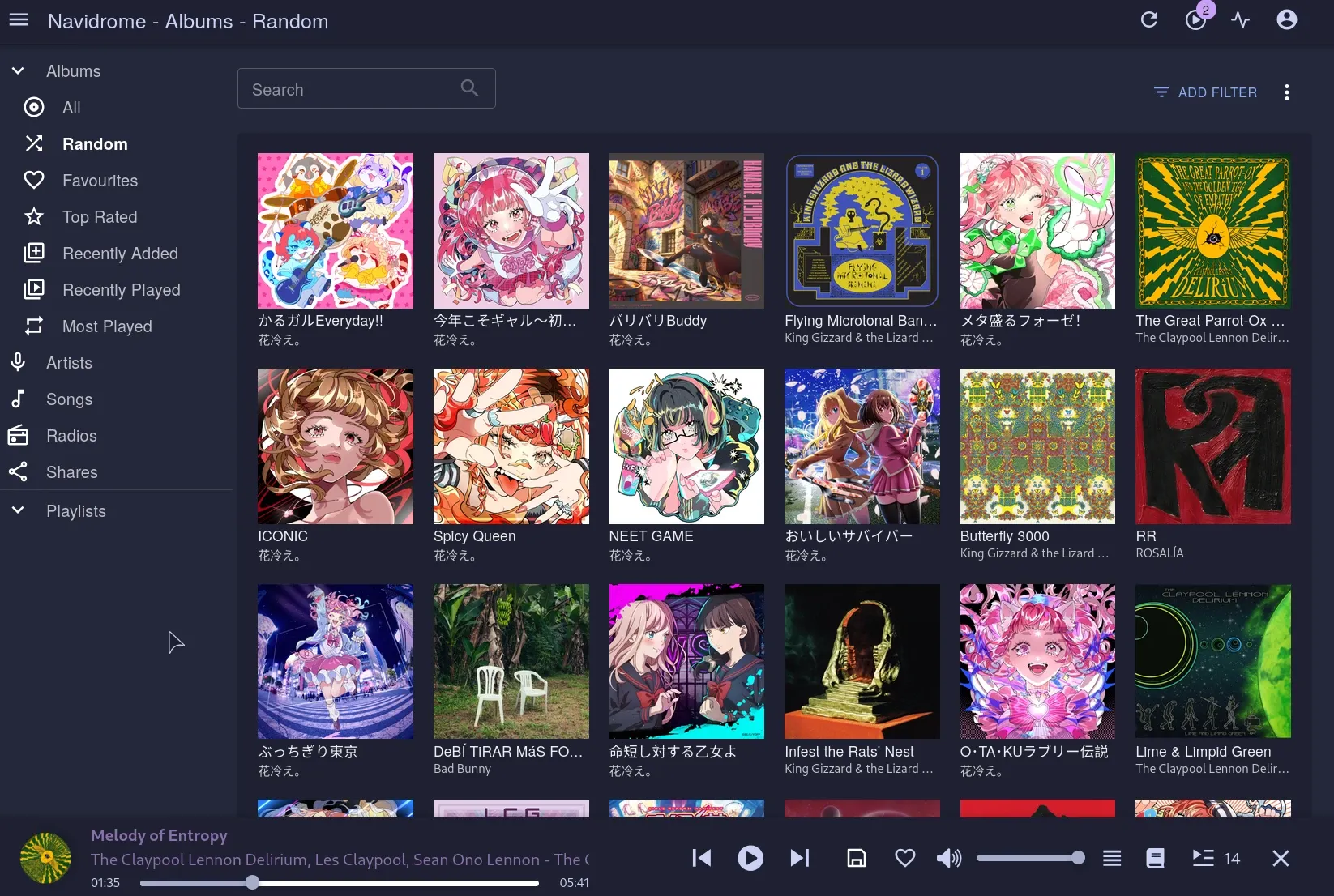
The result is five containers: Navidrome, SoulSync, slskd, gluetun (a VPN client) and cloudflared.
How it works
Deploying without touching the server by hand
Every service lives in its own folder in a project on my laptop. One script copies it to the server, shows a diff of every changed file, asks yes or no, then runs docker compose up -d. It never deletes anything on the server.
Secrets never leave the server. Each service can have a pre-up.sh that asks for its secrets once, with hidden input, and writes them to a .env file only my user can read:
umask 077
read -r -s -p "Tunnel token: " token
printf 'TUNNEL_TOKEN=%s\n' "$token" > .env
So the project folder holds the whole setup, safe to back up or share, and the server holds the only copies of the keys.
Locking down SSH
SSH is the only way in, and only from my home network, so it got the most care:
- Keys only. Password login is off. I proved it by forcing a password attempt from my laptop and getting
Permission denied (publickey), while keeping a working session open so a mistake couldn’t lock me out. - fail2ban watches the SSH log (systemd backend) and bans an address for a while after a few failed attempts in a short window. With passwords off it’s a backstop rather than the main defence, but it costs nothing and stops anything on the network from hammering the login.
- No custom SSH port. I tried moving SSH to port 2222, but Ubuntu 24.04 and later start SSH through systemd socket activation, which ignores the
Portline insshd_config. Making it work means keeping the socket, the firewall and the SSH config in agreement, for almost no benefit once password login is off. I dropped it.
The gotcha here was the best lesson of the whole build. My hardening file said PasswordAuthentication no, yet the server still accepted passwords. Ubuntu ships /etc/ssh/sshd_config.d/50-cloud-init.conf containing PasswordAuthentication yes, and OpenSSH uses the first value it reads. 50- sorts before my 99-hardening.conf, so my setting was silently ignored. sshd -T shows the effective configuration and gave it away:
sudo sshd -T | grep -i passwordauthenticationI set the cloud-init file to no as well, so both files agree and sshd -T now reports passwordauthentication no.
Remote access with nothing open at home
There are no port forwards on my router and no public IPv6 address on the server. Remote access goes through a Cloudflare Tunnel: the server connects out to Cloudflare, and Cloudflare forwards one hostname to Navidrome only.
In front of that hostname sits Cloudflare Zero Trust Access (free tier):
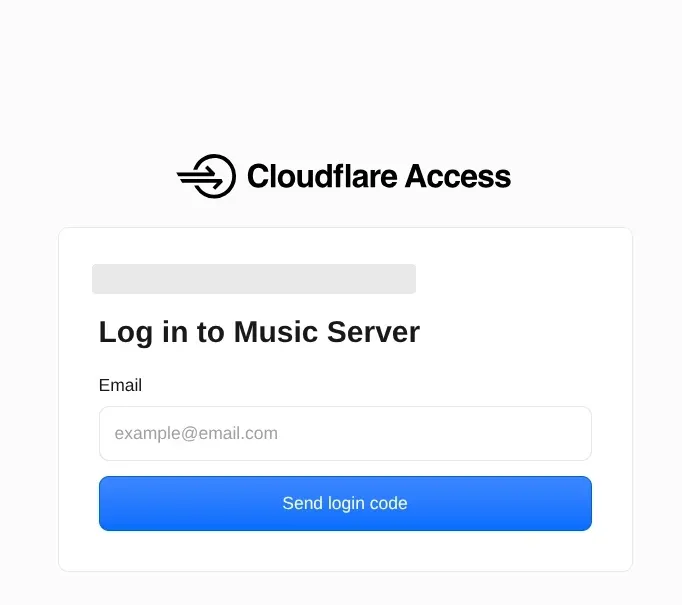
- In a browser: a login page that only accepts my own email, with a one-time PIN, and a 24-hour session.
- On my phone: the Symfonium app can’t do a login page, so it sends a Cloudflare service token in two custom headers instead, with a separate policy that accepts only that token.
I tested it from outside: an anonymous request to the site, and to the music API path that apps use, both get redirected to Cloudflare’s login. Nothing reaches Navidrome without passing Access first.
Updates that run themselves
Low maintenance was a hard requirement:
- Ubuntu: unattended-upgrades installs security updates and reboots at 03:00 when needed. I added Docker’s own repository to its allowed origins, so Docker updates too.
- Containers: a weekly cron job pulls new images for every running stack on Sunday mornings and restarts them. If one fails, it logs it and keeps the old version running.
This paid off within days: Cloudflare emailed about a cloudflared update with compromised certificates. When I checked, the weekly job had already installed it.
Keeping the peer-to-peer client private
In any peer-to-peer network, every peer you connect to sees your IP address, and I don’t want strangers to have my home address. So the Soulseek client runs inside the VPN container’s network and can only reach the internet through the VPN. If the VPN drops, it has no connection at all, so it never falls back to my home connection. That part became its own story: VPN port forwarding without opening my router.
Making the metadata right
Getting files is the easy part. Making a library look right took most of the effort:
- Translated titles. Deezer, the default metadata source, translated Japanese song titles into English. Spotify’s metadata keeps the originals, so I switched both metadata and search to Spotify (I use its catalogue data, not its streaming service).
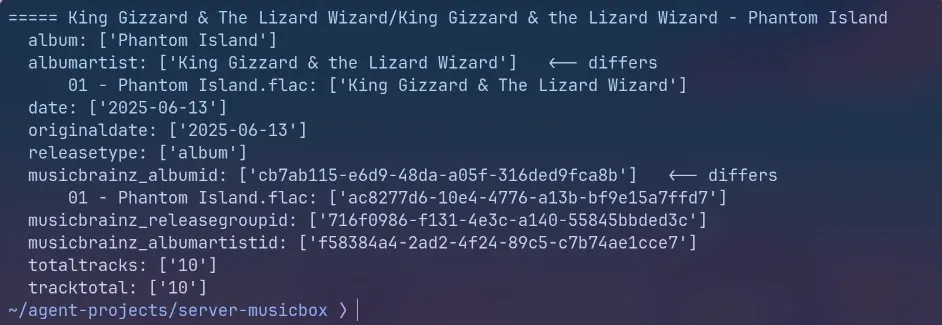
- One band, two artists. MusicBrainz writes album artists in their original script, while the track tags said “HANABIE.”, so Navidrome showed the band twice. I wrote a small Python script with mutagen that, per album, takes the single MusicBrainz artist ID and sets the album artist to the name the track tags use. It previews first and only writes with
apply. The same script later fixed “& the” vs “& The” across a whole discography. (SoulSync’s own tag automations have since merged the band under its Japanese name instead, which I’ve decided I can live with.) - Split albums. One song matched to a different edition of the same album, with its own MusicBrainz ID, so Navidrome split it off. A second script shows the album-level tags of every song in a folder, flags the odd one out and gives it the majority’s values.
- “Mastered for iTunes”. Navidrome added MusicBrainz release comments to album names. One line in its config limited album versions to an explicit tag.
Gotchas
- Docker publishes ports past the firewall. UFW showed only SSH open, but Docker writes its own rules, so published container ports were still reachable from the home network. That’s fine for my LAN, but it’s why nothing is forwarded from the router.
- “Dead files” that weren’t dead. SoulSync reported files missing that played fine. Navidrome reports made-up tidy paths to apps unless “Report Real Path” is enabled per app; even then it reports its own folder name. Enabling it and giving SoulSync the same folder under Navidrome’s name took the check from 14 open false alarms to 0 across 414 files.
Results
| Before | Now | |
|---|---|---|
| Tools | about 15 (the July plan) | 5 containers |
| Ports open on the server firewall | 4 (SSH plus the proxy’s 80, 443, 81) | 1 (SSH, key only) |
| Remote access | reverse proxy | Cloudflare Tunnel + Zero Trust |

What’s next
Backups are planned but not built: settings first, encrypted before they leave the server, and the music library, which is much larger, gets its own plan. I also want a second NVMe drive just for music, and a “now listening” status on Discord. The AI ideas from July are parked until the server has more RAM.
Skills used
Linux server administration (Ubuntu), Docker and Docker Compose, Bash scripting, Python (mutagen), Cloudflare Tunnel, Cloudflare Zero Trust Access and service tokens, WireGuard VPN with gluetun, UFW and fail2ban, unattended-upgrades and cron automation, secrets handling, music metadata (MusicBrainz, AcoustID), troubleshooting and root-cause analysis, scoping and right-sizing a project.